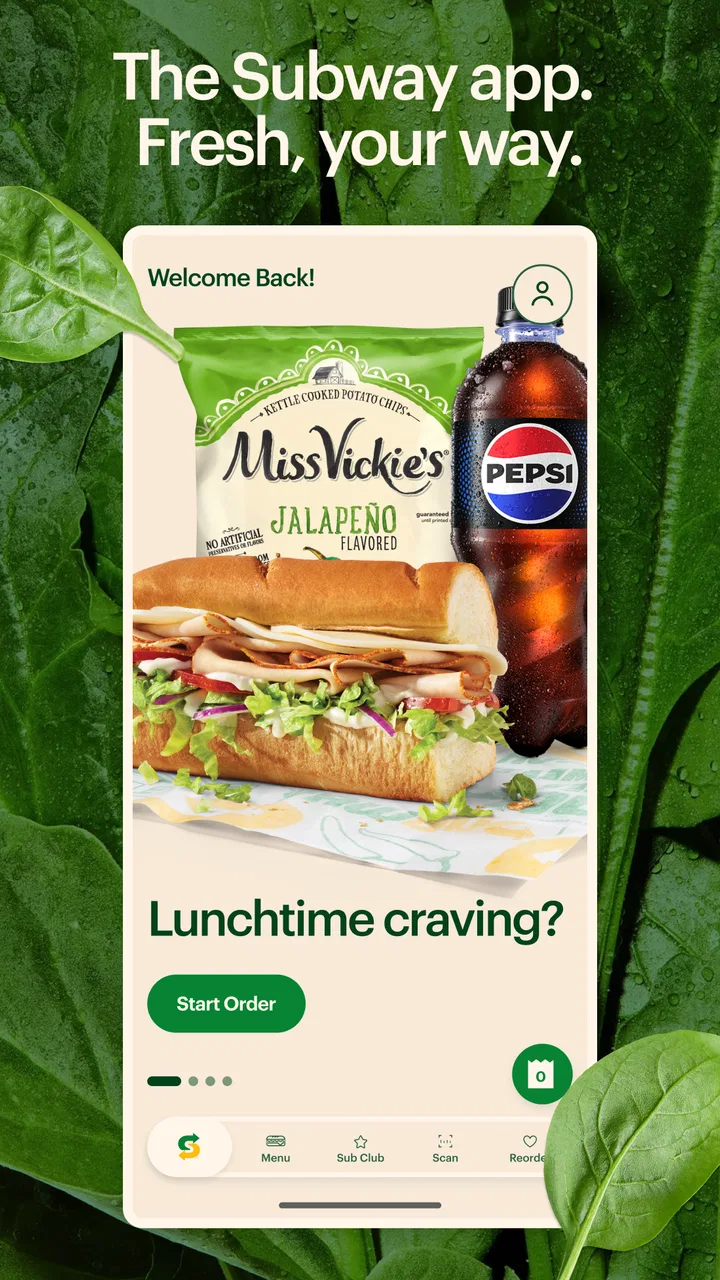
Subway®
- 4.1
- Rating
- 10.00M
- Installs
- Free
- Price

 Analysis by App-foxy
I approached Subway® as more than a digital menu. It is a Food & Drink app from SUBWAY Restaurants, built for people who want to browse Subway choices and make an order-related decision from a phone instead of starting at the counter. That sounds simple, and in everyday use, simplicity is its strongest quality. The app is free, aimed at Everyone, and has been available since 31 July 2014, so it is an established companion rather than a brand-new experiment.
My main focus while using it was trust. Food apps often ask users to move quickly through location choices, personal details, account steps, and payment decisions. I wanted to see whether the experience made those moments understandable and whether I could remain in control instead of feeling pushed through a funnel. The answer is fairly positive, with an important qualification: the app is most useful when you already know you want Subway. It is less compelling if you are simply comparing nearby restaurants or looking for the broadest possible delivery selection.
What the app is really useful for
The practical value is reducing the small bits of friction that come before buying a sandwich. I can look through the Subway offering, think about the order before reaching the restaurant, and use the phone as a planning tool rather than trying to make every choice while people are waiting behind me. That matters at lunchtime, when a few extra minutes spent deciding can feel surprisingly stressful.
You May Also Like

 AccuWeather: Weather Radar
AccuWeather Review: A Quick, Clear Forecast for Everyday Decisions
For everyday plans, the best forecast is the one you can understand quickly. AccuWeather makes rain timing, radar, and local conditions easy to act on, with a few trade-offs.

 Hill Climb Racing
Why Hill Climb Racing Still Turns Crashes Into One More Run
A tiny car, a bumpy hill and one more upgrade: Hill Climb Racing keeps resurfacing because its simple chaos makes every near-miss feel personal.

 AliExpress - Shopping App
AliExpress Makes Global Shopping Feel Personal, but Shoppers Bear the Risk
AliExpress turns a global marketplace into a pocket-sized discovery engine. Its reach is useful, its shopping loop compelling, and its trade-offs easy to miss.

 Lords Mobile: Kingdom Wars
Lords Mobile Is a Kingdom-Building Routine, Not a Quick Match
A case-by-case verdict on the building, battles, device demands, and social commitments that make Lords Mobile rewarding for some players and exhausting for others.

 PDF Scanner app - TapScanner
TapScanner Makes Paperwork Easier to Capture, Check, and Share
TapScanner makes scanning with a phone feel less like a rescue operation and more like a dependable step in getting work done. Its capture tools are useful, though not flawless.

 Block Blast!
 Shows How Much a Puzzle Game Can Leave Out
A quiet grid game shows why puzzle players increasingly value instant clarity, repeatable skill and low-pressure play—and where the genre still needs to catch up.
More From Our News Desk
View All News


A realistic example is a workday order. I might open the app before leaving the office, review the available choices, decide on the sandwich and extras, and then continue only when I am comfortable with the details. This separates browsing from payment, which is a useful habit in any food app. I do not have to make a rushed decision simply because I am standing at the counter.
The app also suits someone who visits Subway regularly and wants a familiar starting point. Instead of relying on a general search engine to find a branch and then switching to another service for ordering, the dedicated app keeps the restaurant’s own experience in one place. That directness is its clearest advantage over a generic restaurant directory.
At the same time, I would not treat it as a universal food-ordering solution. If I am choosing between several restaurants, a broad delivery marketplace may be more convenient because it puts competing menus together. The Subway app makes more sense when the restaurant decision has already been made and I want a more focused route to the next step.
Browsing without rushing the decision
One of my favorite ways to use it is as a quiet menu-planning screen. I can take time to consider the base item and the additions I actually want instead of improvising at the register. This is especially helpful when ordering for another person, because I can check the choices with them before committing.
There is also a useful trade-off here. A dedicated restaurant app can present Subway’s own menu in a more focused way than a third-party marketplace, but that focus means I am not getting an impartial comparison of restaurants, delivery charges, or alternatives. I see the app as a decision aid for Subway, not as a food-discovery tool.
For a first-time user, I would recommend opening it before hunger becomes urgent. That sounds obvious, but it changes the experience. Browsing while relaxed makes it easier to notice the selected restaurant, review the order, and stop if something does not look right. Waiting until the last minute makes any app feel more complicated than it really is.
How it compares with the usual alternatives
The usual alternative is ordering in person. The counter gives immediate access to staff and lets you ask questions directly, which remains better when I need clarification or when the available choices are changing in a way I cannot understand from the screen. The app wins when I already know what I want and value preparation over conversation.
A phone browser is another option. It may be enough for a quick look, but the dedicated app is more natural for repeated use because it is designed around Subway rather than around general web searching. I still prefer the browser when I am on a borrowed device or do not want another app involved.
Third-party delivery apps are stronger for comparing restaurants and managing several food orders in one place. Their weakness is that the restaurant’s experience becomes one listing among many. With Subway’s own app, the path is more focused, but I give up that wider comparison. Neither choice is automatically better; it depends on whether I am loyal to the restaurant or still deciding what to eat.
Trust starts with visible choices
My trust in a food app does not come from a polished screen alone. I look for clear moments where I can see what I am selecting, which restaurant I am dealing with, and whether I am moving from browsing into an actual order. Subway® is easiest to trust when I slow down at those checkpoints rather than treating every tap as harmless navigation.
The important distinction is between looking and committing. Browsing the menu is low pressure. Choosing a location, entering account information, and moving toward payment are more sensitive steps. I recommend treating those as separate stages and checking the screen at each one. That simple workflow gives me more control than tapping rapidly through the entire process.
The developer is clearly identified as SUBWAY Restaurants, which gives the app a direct connection to the brand it represents. That does not mean I should ignore ordinary privacy habits, but it does make the purpose of the app easy to understand. I am not using an unrelated utility that happens to display a Subway menu; I am using the restaurant’s own app.
The app has a 4.2 average from around 492 thousand ratings, and it has more than 10 million installs. Those figures suggest that many people have tried it, but popularity is not a substitute for checking my own order carefully. A widely used app can still be inconvenient for a particular phone, restaurant, or ordering situation.
Account and personal-information moments
The parts that deserve the most attention are the moments involving an account, contact details, restaurant selection, and payment. I do not enter information automatically just because a form appears. I first decide whether I need the account for the task in front of me, then provide only what the app visibly requests and what I am comfortable sharing for that purpose.
This is not a criticism unique to Subway. It is a sensible rule for every food-ordering app. The difference is that a restaurant-specific app can feel familiar enough to lower my guard. I try not to confuse brand familiarity with a reason to skip the review step. Before completing an order, I check the selected location, the items, quantities, additions, and final amount shown on screen.
I also avoid saving a payment method unless repeated use genuinely makes that worthwhile for me. A saved option can be convenient, but it also means future orders may feel quicker than they should. My preferred habit is to keep the final confirmation deliberate: pause, read the summary, and make sure the order is going to the place I intended.
When the app asks me to make a choice, I want the choice to be visible rather than hidden inside a vague button. If I am unsure why a permission or account step is needed, I would rather stop and investigate through the app’s own explanations or device settings than accept it reflexively. The app should support my order, not train me to approve everything without reading.
Practical control during an order
A useful workflow is to begin with location and menu browsing, then review the order as a separate task, and only afterward consider account or payment steps. This order of operations reduces mistakes because I am not mixing restaurant selection with personal-data decisions. It is one of the less obvious benefits of using the app thoughtfully: the phone gives me room to organize the process.
I also recommend taking a screenshot or noting the order details only when I need a personal reference, such as coordinating lunch with someone else. I would not keep unnecessary personal information on the device indefinitely. Once the order is no longer useful, I prefer to remove notes and avoid leaving sensitive details in places where they are easy to overlook later.
If I share a phone with family members, I would be especially careful before opening the app with an account already active. A food app can make a repeat order feel very close at hand. I check who is signed in, which restaurant is selected, and whether the order belongs to me before proceeding. This is a small habit, but it protects against accidental purchases better than relying on memory.
For users who dislike accounts, the key question is not whether the app is worth having in the abstract. It is whether the convenience of a dedicated Subway experience justifies the information and steps involved in the user’s own situation. Someone who orders rarely may prefer the counter or a browser. Someone who visits often may find the app’s focused workflow worthwhile.
Where the experience can feel limited
The app’s narrow focus is both its strength and its limitation. It is not designed to help me compare the full local food scene, and that can make it feel unnecessary when I am undecided. If my priority is the cheapest overall meal, the fastest delivery across several restaurants, or a single place to manage many brands, I would start elsewhere.
There is also a human element that an app cannot replace. When I have a complicated question about ingredients, substitutions, or a restaurant-specific situation, speaking with staff may be clearer than interpreting a sequence of screens. I would not use the app as a substitute for asking a direct question when the answer matters to my health or dietary needs.
Another limitation is psychological rather than technical: convenience can encourage rushed confirmation. The smoother the path feels, the easier it is to overlook a location or an extra item. I consider the review screen essential, not optional. If the order summary is not exactly what I expect, I stop and correct it before continuing.
The current version is 30.19.0, and the app supports devices running Android 7.0 or newer. That makes it accessible to many Android users, although compatibility alone does not guarantee that every phone will feel equally comfortable. Screen size, operating-system behavior, and network conditions can still affect how easy it is to review a detailed order.
Who should use it, and who should skip it
I would recommend the app to regular Subway customers, people who prefer planning before arriving, and anyone who finds busy counters distracting. It is also a sensible choice for coordinating a familiar order with another person, because the menu can be reviewed before the final decision is made.
I would suggest skipping it, at least initially, if I were only looking for restaurant comparisons, if I rarely visit Subway, or if I strongly prefer not to maintain restaurant-specific apps. In those cases, a browser, in-person visit, or broader food service may involve less commitment. The free price removes one barrier, but it does not remove the question of whether another method fits better.
For families, I would use it with an extra confirmation habit. Before submitting anything, I would read the selected restaurant and the complete order aloud or show it to the person who requested it. That catches misunderstandings about size, additions, and quantity more reliably than assuming everyone is looking at the same screen.
For people managing dietary restrictions, I would treat the app as a way to organize the order, not as the final authority on safety. I would verify important details directly with the restaurant. Digital convenience is valuable, but it should never replace a clear conversation when cross-contact or ingredient uncertainty is a serious concern.
My cautious verdict
After using it as a planning and ordering companion, I see a straightforward app with a clear audience. It does not need to be a complete food marketplace to be useful. Its best role is helping someone who has already chosen Subway move from browsing to a more organized order, with enough time to review the details instead of deciding under counter pressure.
I trust it most when I use it deliberately: confirm the restaurant, inspect the order, think carefully about account and payment steps, and stop whenever a request is unclear. Those habits are more important than the app’s familiar branding. The visible choices around ordering give me a reasonable sense of control, while the sensitive parts still deserve the same caution I would apply to any restaurant service.
The app has been around since 2014 and is free to install, with an Everyone content rating. Its broad reach and strong number of ratings make it easy to understand why it remains relevant, but I would not recommend it simply because many people use it. I recommend it when its focused Subway-only workflow matches the way you eat.
My bottom line is cautious but favorable: install it if you regularly choose Subway and value preparing an order on your own time. Keep a general food app, browser, or in-person visit in mind when comparison, personal assistance, or dietary clarification matters more than convenience. Used with a deliberate review before confirmation, it is a practical tool rather than something I would treat as an all-purpose answer to food ordering.
FAQs for Subway®
01What is Subway® and how does it work?
Subway® is a fast-food restaurant chain known for its customizable submarine sandwiches and salads. Users can download the Subway® app to easily find store locations, browse the menu, and place orders for pickup or delivery. The app also offers exclusive deals and a rewards program, making it convenient to enjoy your favorite meals.
02How can I place an order using the Subway® app?
To place an order, first download the Subway® app from the App Store or Google Play. After logging in or creating an account, browse the menu and customize your order. Once your order is set, choose a pickup or delivery option, and proceed to payment. You can also apply any available discounts or rewards before finalizing the order.
03Does the Subway® app offer any rewards or discounts?
Yes, the Subway® app provides users with access to exclusive discounts and a loyalty program. By signing up, you earn points for every purchase, which can be redeemed for free items. The app also occasionally offers special promotions, so be sure to enable notifications to stay updated on the latest deals.
04Is my personal information secure on the Subway® app?
Subway® is committed to protecting user privacy and employs industry-standard security measures to safeguard your personal information. The app uses encryption to protect data during transactions and adheres to privacy policies that restrict unauthorized access. However, it’s always a good practice to regularly update the app and use strong passwords.
05Can I customize my order through the Subway® app?
Absolutely! The Subway® app allows you to fully customize your sandwich or salad to suit your preferences. You can choose your bread, fillings, toppings, and sauces, just like you would in-store. This feature ensures you get your meal exactly how you like it, every time you order through the app.
Pros
- User-friendly interface
- easy navigation.
- Customizable sandwich options available.
- Quick order processing and delivery.
- Nutritional info provided for health-conscious users.
- Frequent deals and discounts for savings.
Cons
- Occasional app crashes reported by users.
- Limited delivery area in certain regions.
- Inconsistent availability of menu items.
- Some features require stable internet connection.
- Push notifications can be overwhelming.

Subway®
Gallery